
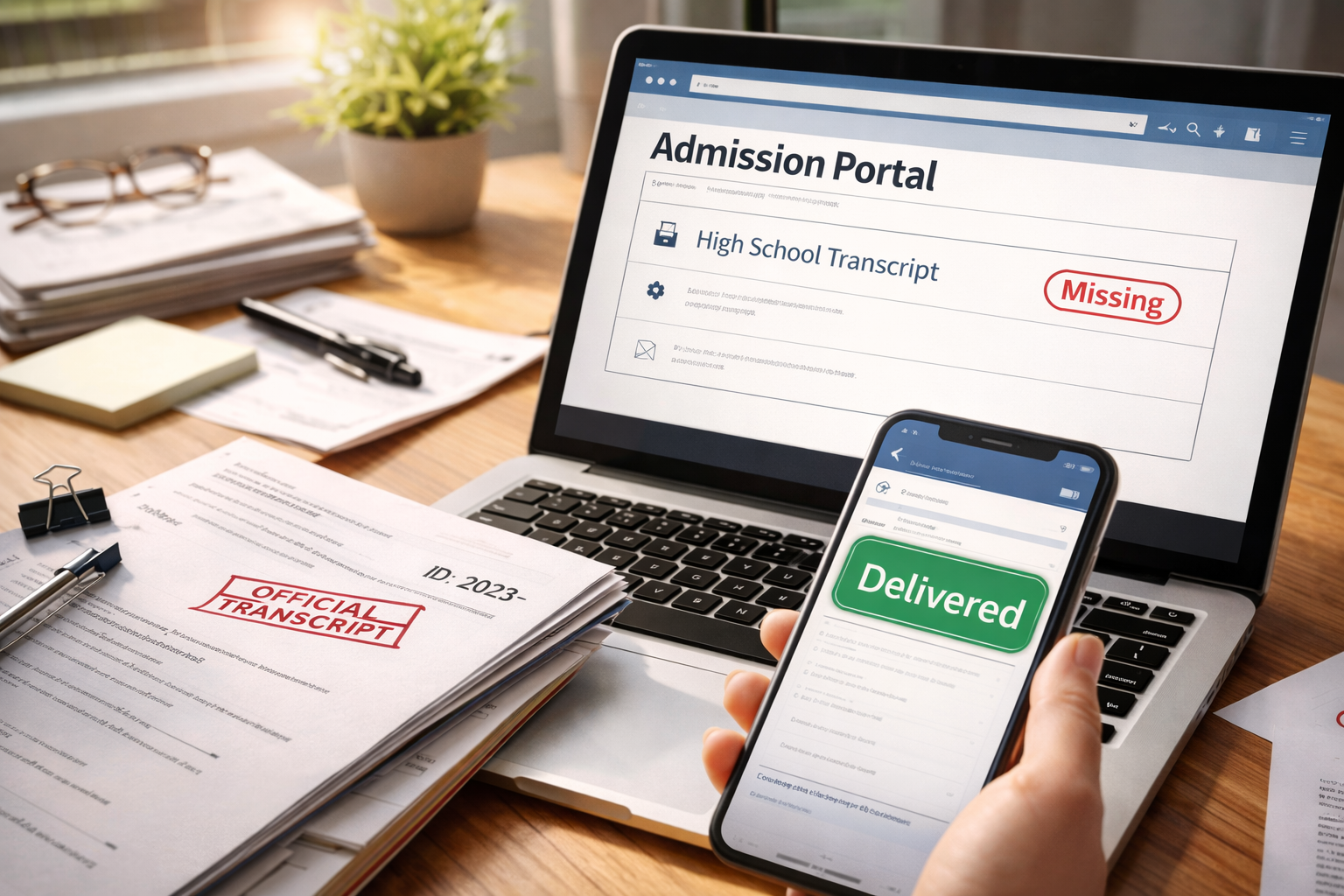
Transcript sent but not received by college. I noticed it in the admissions portal while I was doing the “normal” applicant routine: refresh, check, breathe, close the tab. Except this time, the portal didn’t let me breathe. Everything else looked fine—test scores, personal info, application fee—but the transcript line stayed marked “Missing.”
I wasn’t angry. I was focused in a very specific way. I could already picture the deadline calendar, the weekend gap, and the one email that would arrive too late if I guessed wrong. This problem feels like a personal failure, but it’s usually a matching-and-timing failure between systems. The good news is that matching-and-timing failures have predictable fixes.
Before you do anything else, make sure you’re not dealing with a broader “submission not received” situation. This quick hub helps you separate a transcript issue from a full application intake issue:
The Real Reason the Portal Still Says “Missing”
Transcript sent but not received by college usually doesn’t mean “lost.” It means “not matched.” Colleges receive thousands of documents that look almost identical at first glance. Many arrive without your exact applicant ID on the first pass. Some arrive under a slightly different name spelling. Some land in a general queue (mailroom, scanning vendor, electronic inbox) before they ever reach your file.
Portals typically update only after a human (or a rules-based intake team) verifies the transcript and attaches it to your application record. That’s why “Delivered” on a sender’s side can coexist with “Missing” on a college portal for days.
A 90-Second Self-Check That Prevents Wrong Moves
Do this before you resend anything. It prevents duplicate errors that slow you down.
Quick checklist (answer yes/no):
1) Did you send it to the correct campus (main vs satellite) and correct program (undergrad vs special program)?
2) Does your name match exactly (full legal name, hyphen, middle initial) across your transcript request and your application?
3) Does the transcript request include your applicant ID or Common App/Coalition ID (if the school uses it)?
4) Is the “missing” label specifically for “Final transcript,” “Mid-year report,” “Counselor report,” or “Official transcript”?
5) Are you applying as first-year, transfer, or dual-enrollment applicant?
If even one of those is “no” or “not sure,” your fix path changes. That’s why the case branches below are detailed.
Detailed Case Branches: Find Your Exact Scenario
Case A: Electronic transcript shows “Delivered/Complete,” portal still says missing (2–5 days).
This is the classic matching delay. Your job is to help admissions match it faster without sounding accusatory.
Do this: Email admissions with proof of delivery + your full name + date of birth (if the school allows) + applicant ID + program applied to. Ask one specific question: “Can you confirm whether this is in the matching queue?”
What not to do: Don’t resend immediately. Two identical deliveries can confuse intake, creating two items that need reconciliation.
Case B: Electronic transcript shows “Sent,” but not “Delivered.”
This is a sender-side gap. It may be queued, failed, or awaiting consent/fee confirmation.
Do this: Contact the sender (high school registrar or platform support) and request a status note: “pending,” “failed,” or “completed.” Fix any payment/consent hold. Re-send only after you see a confirmed “delivered/completed.”
Case C: The transcript was sent to the wrong destination code or wrong campus.
This is more common than people admit—especially for multi-campus universities or schools with separate admissions processing centers.
Do this: Ask admissions for the exact destination they require (they may have a specific code for electronic delivery). Then resend once, correctly.
Key move: Include a short note in your email: “Resent today to the confirmed code per your instructions.” That makes it matchable.
Case D: Your high school has a hold (fees, missing forms, counselor approval).
Sometimes the transcript request looks “submitted” to you but isn’t released until someone approves it.
Do this: Call the registrar/counselor office. Ask a direct question: “Has the transcript been released to the college yet?” If not, ask what must be cleared today.
Important: If the deadline is close, request that they send a brief counselor confirmation email to admissions while the official transcript processes (only if admissions allows).
Case E: Applicant identity mismatch (name variation, different email, different DOB format).
If your transcript says “Chris” and your application says “Christopher,” or if accents/hyphens differ, the intake system can’t automatically match it.
Do this: Email admissions stating: “My transcript may be under [variant]. My application is under [official].” Attach proof of delivery if available and ask them to search both variants.
Case F: Paper transcript mailed (mailroom/scanning delay).
Paper can be slow even when it arrives. Some colleges batch-scan weekly during peak months.
Do this: Ask admissions: “If my paper transcript is in the scanning queue, is an electronic resend acceptable to protect my deadline?” If yes, resend electronically and reference the original mail date.
Case G: You’re an international applicant or using a credential evaluation / translation workflow.
International documents often route differently and can require additional verification steps.
Do this: Confirm whether the college requires an evaluation service, certified translation, or direct school-to-school send. If your current method doesn’t meet policy, it will never be marked received.
Fastest fix: Ask admissions for their “acceptable document list” for international transcripts and comply exactly.
Case H: Transfer or dual-enrollment transcripts (you may need more than one).
Some portals list separate items: high school transcript, college transcript, dual-enrollment transcript.
Do this: Identify which transcript line is missing. Don’t assume it’s the high school transcript. If it’s a college transcript requirement, request it from the college registrar, not your high school.
Case I: Deadline is within 72 hours (or already passed).
This is where people lose time by being polite in the wrong way (waiting) instead of being polite in the right way (calling with proof).
Do this today: Call admissions. Ask for a note placed on your file acknowledging receipt is pending verification. Follow with an email containing your proof of delivery. One call + one documented email is stronger than five emails.
Case J: The portal is glitching or recently updated.
Sometimes items flip after system maintenance. If you saw it marked received and it reverted, you need documentation.
Do this: Screenshot the portal (date/time visible if possible) and email admissions: “Portal status changed; can you confirm my file status internally?” This prompts a manual check.
The “Do This in Order” Fix Plan (Deadline-Safe)
Transcript sent but not received by college gets solved faster when you follow a clean sequence. This sequence protects you from accidental duplicates and gives admissions exactly what they need to help you.
Step 1: Gather proof (2 minutes).
Save the confirmation page/email from the sender. If it shows “delivered/completed,” that’s your strongest evidence.
Step 2: Identify the missing item precisely (2 minutes).
Is it “official transcript,” “mid-year,” “final,” “college transcript,” or “counselor report”? Use the exact portal wording in your email subject line.
Step 3: Email admissions once, clearly.
Write a short email with these fields in the first two lines: Full name, applicant ID, program/term. Then add: send date, method, proof. Ask one question: “Can you confirm whether it is in matching/verification?”
Step 4: If time-sensitive, call the same day.
Calling isn’t “being annoying” when you have a deadline. It’s risk management. Ask for a temporary note on the file while verification completes.
Step 5: Resend only if admissions confirms the correct destination.
If they tell you to resend, resend once, correctly, and reference the instruction in your follow-up email.
Mini email script you can copy:
“Hello Admissions Team — I’m applying for [Term/Program]. My name is [Name], Applicant ID [ID]. My official transcript was sent on [Date] via [Method]. Proof of delivery is attached. The portal currently shows it as missing. Can you confirm whether it’s in the matching/verification queue or if you need a resend to a specific destination code? Thank you.”
If your portal has stayed incomplete for a long stretch and this transcript issue is part of a larger stall, this guide helps you respond without guessing:
Mistakes That Quietly Make This Take Longer
Transcript sent but not received by college can become a week-long mess if you do any of the following:
• Resending repeatedly without confirming the destination code (creates duplicates to reconcile).
• Writing long emotional emails instead of providing matchable data (ID, term, proof).
• Assuming “missing” means “rejected” (it usually doesn’t).
• Waiting out a deadline weekend without making a documented call.
• Sending attachments in a format the school blocks (use PDF if possible).
The best emails are short, documented, and easy to route.
Official Verification (One Trusted Source)
If you used a transcript platform and need an official verification path, use the national clearing service:
Recommended Reading
When your transcript issue resolves, the next risk is waiting too long to confirm the rest of your file. This guide helps you stay proactive without spamming admissions:
FAQ
How long should I wait before emailing admissions?
If you have confirmed delivery, 48–72 business hours is reasonable. If a deadline is close, email the same day and call within 24 hours.
Will “missing transcript” automatically disqualify me?
Usually no. Many colleges allow a short verification window as long as you act promptly and document proof.
Should I resend right away?
Resend only if admissions confirms the destination code or explicitly requests it. Random resends can slow matching.
What if the portal updates after I email them?
That’s normal. Reply once with a short thank you and stop. Over-communication can clutter the file.
What if the transcript is delivered but under a different name format?
Tell admissions the exact variant and request a manual search. Include your applicant ID and term.
Key Takeaways
Most transcript problems are not “lost documents.” They are “unmatched documents.”
Your job is to provide matchable data: applicant ID, term, proof of delivery, and the exact missing item label.
Transcript sent but not received by college becomes manageable the moment you stop guessing and start following a clean sequence: verify, document, email once, call if urgent, resend only when instructed.
Transcript sent but not received by college is frustrating because it feels like you did everything right and still got punished by a checklist. But you can fix it. Right now, do this: open your proof of delivery, write the short email with your applicant ID, and if the deadline is within 72 hours, call and request a temporary note on your file. That is the fastest, safest path to protect your college application.