
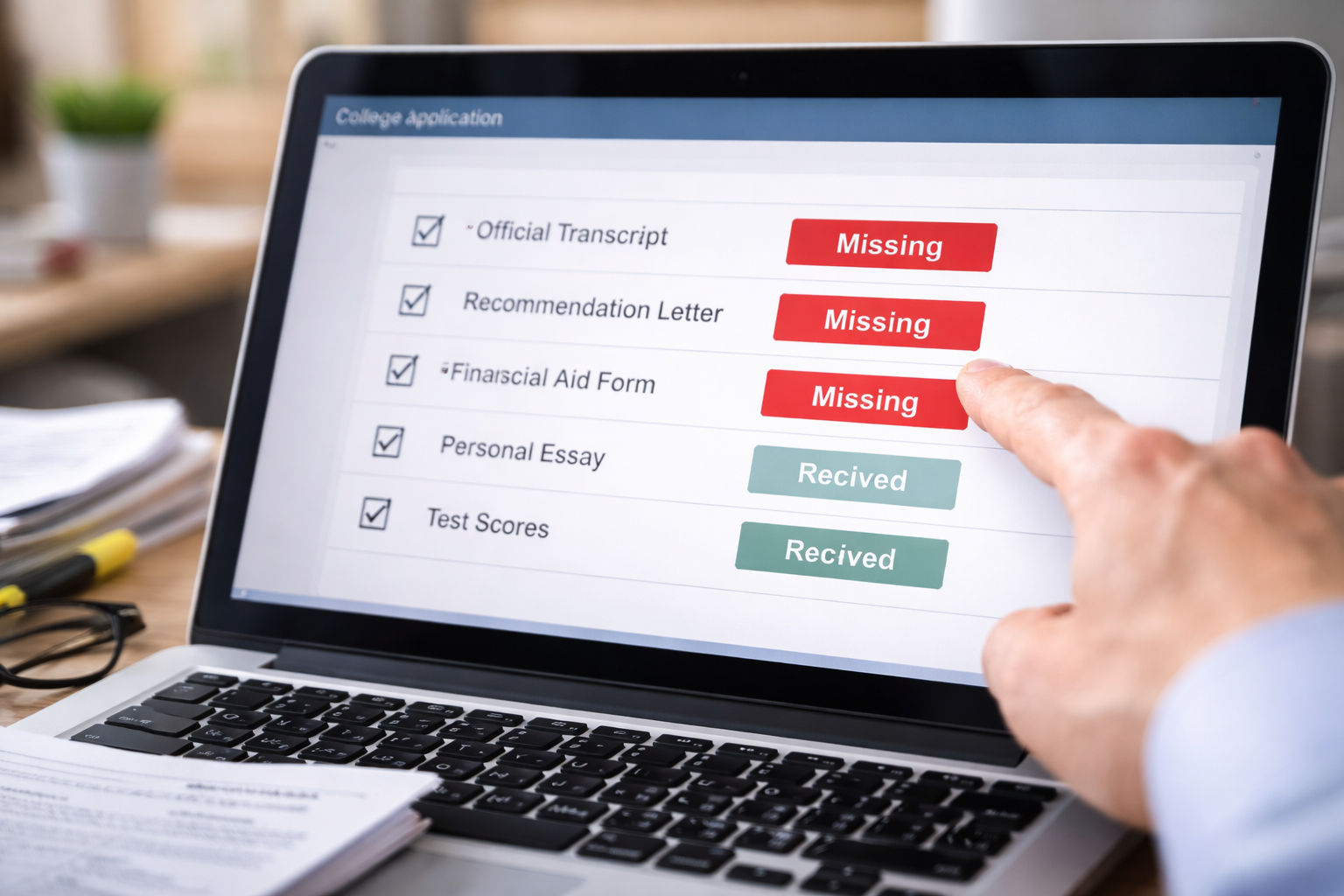
Documents uploaded but marked missing in application portal hit me at the worst possible time: right after I’d finished a clean upload run and told myself, “Okay, that part is done.” I remember seeing the upload confirmation, the file name, and the time stamp. I even refreshed once, just to be safe, and saw the same success message.
Then I clicked back to the checklist. “Missing.” Not “Received.” Not “Processing.” Missing. The feeling wasn’t panic—it was the kind of cold urgency you get when the system is quietly implying you didn’t do something you absolutely did. In college admissions, ‘missing’ isn’t just a label. It can change how your file is routed, reviewed, or delayed.
If your portal is behaving strangely overall (status not refreshing, checklist stuck, or files not syncing), start here. It explains how portal updates lag and what that typically means in admissions workflows.
Why This Happens Even After a “Successful Upload”
When documents uploaded but marked missing in application portal appears, the core issue is usually not the upload itself. It’s the step after upload: how the document gets matched to your applicant record and then validated on the checklist.
Most colleges run admissions portals with multiple layers:
- Upload layer: you submit a file and get a confirmation.
- Storage layer: the portal stores the file (sometimes in a separate vendor system).
- Matching layer: the file must attach to your applicant ID or account.
- Checklist layer: the admissions system updates the requirement as received/complete.
If the matching layer or checklist layer fails, you can have a “successful upload” and still show “missing.” That’s why this problem feels unfair. It’s not about effort. It’s about system logic.
What Colleges and Admissions Offices Usually See
One reason documents uploaded but marked missing in application portal lingers is that the admissions office may not see what you see. They might see your file as “in queue,” “unmatched,” or “awaiting indexing,” while the student-facing portal translates it into “missing.”
Admissions teams also process documents in batches, especially during peak seasons (early action deadlines, scholarship review windows, or rolling admissions surges). In that environment, your upload can be “there” but not “recognized.”
The portal is not a human. It won’t give you benefit of the doubt. It will only show what the checklist currently believes.
The Real Risk: “Missing” Can Freeze Parts of Your File
When Documents Uploaded but Marked Missing in Application Portal persists, the application can be routed as incomplete. That matters because many colleges:
- pause review until required items are marked received,
- delay scholarship evaluation if the checklist is incomplete,
- or push your file into a later review batch even if you “submitted” on time.
This is why the right move is not “wait and hope.” The right move is “verify and document.”
Fast Self-Check: Identify Exactly What Is “Missing”
Before you contact anyone, do a 5–10 minute check so you can speak clearly. When documents uploaded but marked missing in application portal happens, vague messages slow everything down.
- Which requirement is missing? Transcript, recommendation, test score, essay supplement, residency form, financial document, etc.
- Where did you upload it? Student portal upload, counselor portal, Common App integration, third-party service, or email submission.
- What does the portal show? Missing vs Processing vs Received but Not Verified.
- What proof do you have? Confirmation screen, email receipt, file upload history, timestamp, PDF download link.
You’re building a clear evidence packet, not an argument.
Case Breakdown: Choose the Branch That Matches Your Situation
Case 1: You Uploaded the Document Yourself (Student Upload)
You used the portal upload tool, got a confirmation, but the checklist still shows missing.
- Most common causes: file stored but not indexed; file attached to a “session” not your account; portal caching delay.
- Best immediate action: screenshot the confirmation and the “missing” checklist on the same day.
- Next action: ask admissions to “manually verify receipt” using your timestamp and file name.
Case 2: Transcript Sent by School, Still Shows Missing
Your counselor sent it electronically or by mail, but your portal says missing.
- Most common causes: transcript received but unmatched (name/DOB variation); processing backlog; electronic delivery landed in a general inbox.
- Best immediate action: confirm the transcript delivery method and date with your school counselor.
- Next action: contact admissions with the delivery date and sender information so they can locate it.
Case 3: Recommendation Submitted by Teacher/Counselor
The recommender says it’s done, but the portal shows missing.
- Most common causes: recommender submitted to the wrong college entry; recommender account mismatch; recommender completed but didn’t hit “final submit.”
- Best immediate action: ask the recommender for a submission confirmation screenshot or email receipt.
- Next action: request admissions to check the recommender feed for your applicant ID.
Case 4: Document Uploaded but File Type/Name Triggered a Hold
You uploaded, but the system may have rejected it silently (or flagged it).
- Most common causes: password-protected PDFs; unsupported file types; extremely large files; special characters in file names.
- Best immediate action: re-export as a plain PDF, rename with simple characters (LastName_Document.pdf), keep under size limit.
- Next action: upload once more only after saving proof of the first upload.
Case 5: You Submitted Everything Close to Deadline
You uploaded hours before the deadline and now it shows missing.
- Most common causes: checklist updates lag behind uploads; batch verification occurs after deadline but still counts as on-time if timestamped.
- Best immediate action: preserve timestamps and confirmation screens immediately.
- Next action: send admissions a short message with proof of on-time submission.
Case 6: Multiple Portals (Common App + College Portal) Don’t Match
Common App shows complete, but the college portal shows missing.
- Most common causes: data sync delay; duplicate applicant record created; portal linked to a second email.
- Best immediate action: check whether you have two accounts/emails or duplicate application IDs.
- Next action: request admissions to merge or confirm the correct applicant record.
Case 7: Status Was “Received” Then Changed Back to “Missing”
You saw it as received earlier, then it reverted.
- Most common causes: system refresh; document reclassification; checklist rule updated; file moved to another category.
- Best immediate action: gather screenshots proving the earlier “received” status.
- Next action: ask admissions what triggered the status reversal.
These cases look similar on the surface. The fix depends on the delivery path and matching step that failed.
If your transcript is the specific item showing “missing,” this guide breaks down the exact reasons colleges fail to match transcripts even when they were sent correctly.
The Email/Message That Actually Gets a Fast Response
When documents uploaded but marked missing in application portal happens, you want your message to feel like a clean service request—not a story.
Here’s a structure that typically works:
- Subject: Document Uploaded but Still Showing Missing (Applicant ID: ____)
- Include: College name + application term (Fall 2026), your full name, applicant ID, and the missing item name.
- Proof: upload timestamp, file name, and a screenshot of the portal confirmation if available.
- Ask: “Can you confirm receipt and update my checklist, or advise if I should re-upload?”
Short message + proof beats long explanation.
Mistakes That Make Colleges Less Likely to Help Quickly
These mistakes are common when documents uploaded but marked missing in application portal triggers stress:
- Uploading the same document repeatedly without telling admissions (creates duplicates and confusion)
- Changing names/emails mid-process without notifying the school
- Waiting until after the deadline to raise the issue
- Assuming “submitted” means “verified” and doing nothing
Duplicates slow verification. One clean proof packet speeds it up.
When to Escalate (Calmly) and What “Escalation” Means
Escalation doesn’t mean conflict. If documents uploaded but marked missing in application portal continues beyond a reasonable verification window, escalation means moving your request to the right channel.
- First: Admissions portal help desk or admissions processing email (if available)
- Second: Admissions office general line (ask for document processing)
- Third: If time-critical, request a written note that your submission timestamp will be honored
The goal is a record: “We received it” or “Here’s what to do next.”
If your portal shows incomplete even after you’ve done everything, this next-step guide helps you decide what to do when the “incomplete” status won’t clear.
FAQ
Should I re-upload immediately?
Not automatically. Preserve proof first, then ask admissions whether re-uploading will help or create duplicates.
Can my application be reviewed if something shows missing?
Some schools will not begin review until required items are marked received. Others may review but delay finalization.
What proof matters most?
A portal confirmation screenshot with timestamp, plus the checklist showing “missing,” plus your applicant ID.
What if the missing item is a recommendation?
Ask the recommender for confirmation that they submitted to the correct college entry, then send that proof to admissions.
Key Takeaways
- “Uploaded” and “verified” are different steps in college admissions portals.
- Documents uploaded but marked missing in application portal usually points to a matching or checklist update failure.
- Your fastest fix is a short message with proof and a clear request for manual verification.
- Do not spam re-uploads—duplicates can slow processing.
Documents uploaded but marked missing in application portal is frustrating because it challenges something you already did correctly. But the way out is not more effort—it’s clean documentation and a precise request that forces the system to verify what happened.
If you take one action today, do this: gather your upload proof and your applicant ID, then send a short verification request asking whether the school can manually confirm receipt and update the checklist. That move protects your college application before the portal’s “missing” label turns into a real delay. You should not be left guessing after you did your part.
For general official information about preparing and applying to college in the U.S., review resources from the U.S. Department of Education.